
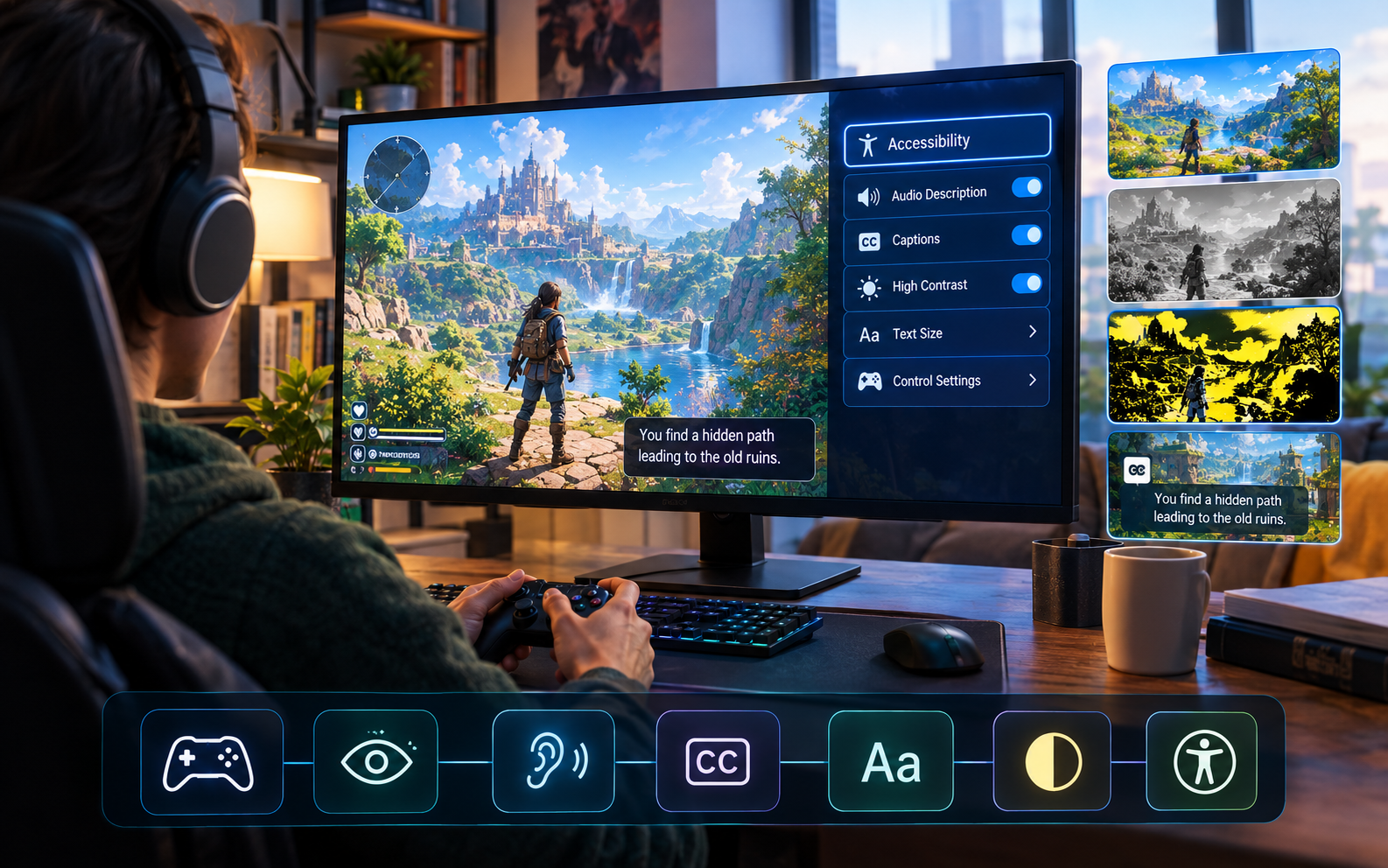
AI Game Development for Building More Accessible Games Today
Accessibility used to be treated as an afterthought, something you addressed late in development if you addressed it at all. A game shipped with whatever accessibility features the developer happened to think of, often minimal. Players with disabilities either adapted to games designed without them in mind, or simply couldn’t play. That approach left enormous potential audiences unable to engage with games they would have loved if only those games accommodated their needs. AI game development is changing this by making accessibility features automatic rather than optional, building inclusive design into the foundation rather than bolting it on afterward. That shift means more players can engage with your games regardless of ability, which directly expands your audience while creating better experiences for everyone since accessibility features benefit far more people than just those with disabilities.
Why Accessibility Matters Now
The gaming audience is diverse in ways traditional game design never anticipated. Players with visual impairments need audio description and high contrast options. Players with hearing loss need visual feedback and captions. Players with motor limitations need customizable controls and adjustable timing requirements. Players with cognitive differences need clear communication and reduced complexity options. Ignoring that diversity means excluding millions of potential players.
That exclusion isn’t just a missed opportunity, it’s increasingly a business disadvantage. Players value inclusive games and actively support creators making accessibility a priority. Accessible games reach larger audiences, generate better word of mouth from players who feel respected, and build communities where more people feel welcome. Those practical benefits align with the ethical imperative of making games accessible to everyone who wants to play.
Accessibility also benefits everyone, not just players with disabilities. Colorblind mode helps players with color blindness but also benefits players in bright environments where colors wash out. Adjustable text size helps players with vision limitations but also helps players sitting far from screens. Remappable controls help players with motor limitations but also help players with unconventional input preferences. That universal benefit means accessibility features improve games for everyone.
How AI Enables Better Accessibility
Generating Accessible Content Automatically
Writing clear interface text, creating high-contrast visual versions, generating descriptive audio alternatives, all of this used to require manual work for each asset. AI tools now handle much of this automatically. A system can generate alternative text for images. Audio can be automatically captioned. Visual interface elements can generate high-contrast versions. That automation means accessibility features that once required enormous effort are now generated as standard.
That automation doesn’t produce perfect results, but it creates foundations that creators can refine rather than having to create from scratch. An auto-generated caption might need light editing, but it’s far faster to refine than to manually caption everything. That speed makes accessibility features practical rather than prohibitive in development timelines.
Detecting Accessibility Problems Early
AI analysis can scan games for accessibility problems before players encounter them. Are text sizes readable? Do color combinations provide sufficient contrast? Are control schemes accessible? Do interactions accommodate diverse abilities? That early detection means problems get identified and fixed during development rather than shipping and requiring patches.
That detection extends to gameplay. Can a level be completed without requiring specific dexterity? Are puzzles solvable without depending on specific sensory input? Are time pressures actually necessary or just creating artificial difficulty for players who need more time? That gameplay analysis reveals where accessibility accommodations would genuinely improve experience for more players.
Supporting Multiple Input Methods Automatically
Different players need different control options. Some use standard controllers. Others use specialized accessibility controllers. Some use keyboard and mouse. Some use eye-tracking or voice commands. Traditional development meant implementing each input method manually. AI tools abstract input handling, supporting multiple methods from a single control scheme definition.
That abstraction means creating one accessible control system that works across multiple input methods automatically. A game built around remappable controls that work with any input device becomes accessible to far more players than one locked to specific hardware.
Generating Descriptive Audio Automatically
Visual games can include audio descriptions that let players who are blind or have low vision understand what’s happening on screen. Generating that audio description manually was prohibitively time-consuming. AI can now generate descriptions of visual scenes automatically, letting creators refine or enhance those descriptions rather than starting from scratch.
That automatic generation makes descriptive audio practical for indie developers and small teams who previously couldn’t afford the time investment.
Building Accessibility Into Foundation
Design With Accessibility From The Start
Rather than adding accessibility as a feature after the game is done, building it into the foundation from the beginning produces better results. A game designed around remappable controls from day one works better with accessibility controllers than one where controls get added later. A game designed with clear communication from the start works better for players needing accessibility features than one retrofitted with them.
That foundation-level approach means accessibility becomes part of normal design rather than special accommodation. A player with disability uses the same game as anyone else, just with settings adjusted to their needs.
Provide Multiple Ways To Accomplish Goals
A game where every goal can only be achieved through one specific method excludes players who can’t use that method. A game where multiple approaches work accommodates different abilities. A puzzle solvable through visual pattern recognition or through audio cues. A challenge completable through reflexes or through strategic thinking. Multiple solution paths make games inherently more accessible while also making them more interesting for all players.
Make Settings Customizable Rather Than Fixed
Difficulty, text size, contrast, audio volume, control schemes, colors, all of this should be adjustable rather than fixed. Players know their needs better than designers do. Giving them control over settings means they can configure the game to work for them specifically. That agency is crucial for accessibility, since what works for one player won’t work for another.
Specific Accessibility Features
Color Accessibility
Colorblind players can’t distinguish certain color combinations. High-contrast modes help players with low vision. Adjustable color palettes accommodate players with specific color sensitivities. Implementing these means testing with actual players who are colorblind, understanding what combinations they struggle with, and providing alternatives that work for them.
Audio Accessibility
Players who are deaf or hard of hearing need visual alternatives to audio. Captions for all dialogue and important audio cues. Visual indicators for sounds. Adjustable audio levels. These features let deaf players understand story and gameplay that audio-dependent games completely exclude them from.
Motor Accessibility
Players with motor limitations need remappable controls, adjustable timing requirements, accessibility controllers support, ability to pause anytime. A game requiring rapid reflexes can include a slower mode where time pressure is reduced. A game requiring precise clicking can support eye-tracking or voice commands. Adjustable difficulty separate from accessibility settings means players can get accessibility support without being forced to reduce challenge if they don’t want to.
Cognitive Accessibility
Players with cognitive disabilities need clear communication, reduced complexity options, straightforward progression. A game with confusing interface becomes accessible when that interface can be simplified. A game with complex mechanics becomes accessible when those mechanics can be streamlined. Optional complexity means experienced players get depth while new players get clarity.
Visual Accessibility
Players who are blind need audio descriptions of visual content. A game described thoroughly enough for blind players to understand what’s happening becomes accessible. That description doesn’t need to cover every detail, just enough for players to understand gameplay and narrative. AI-generated descriptions form the foundation that creators can refine into genuinely helpful audio.
A Practical Example of Accessible Design
Cupcake Master demonstrates thoughtful accessibility that makes the game welcoming to diverse players. The game shows how designing with accessibility in mind creates something more engaging for everyone, not just players with specific disabilities.
Learning how to make your own game with accessibility as foundation means recognizing that accessible design benefits all players and building that inclusivity into core design rather than bolting features on afterward.
Testing Accessibility Features
Test With Actual Players Who Have Disabilities
Real accessibility testing requires players with actual disabilities, not developers testing simulations. A developer using colorblind simulation won’t catch what actual colorblind players notice. A developer using screen readers won’t experience what blind players experience. That real testing reveals problems simulations miss.
Finding testers from accessibility communities, compensating them fairly for their time, treating their feedback seriously, shows respect while producing genuinely valuable data.
Verify That Accommodations Actually Work
An accessibility feature that technically exists but doesn’t actually help players isn’t useful. Testing whether features actually enable players to experience your game fully is crucial. A colorblind mode is only successful if colorblind players can actually play. A control remapping system is only successful if players can actually use their preferred input method effectively.
Gather Feedback Specifically About Accessibility
Ask players whether accessibility features met their needs, whether anything made the experience difficult, whether they felt the game was designed with them in mind. That specific feedback reveals whether accessibility implementation actually works versus just existing.
Final Thoughts
AI game development for building more accessible games means integrating accessibility into foundation design rather than bolting features on afterward, using AI tools to automatically generate accessible content and detect problems, providing multiple ways to accomplish goals, and making core settings customizable rather than fixed. Test with actual players representing diverse disabilities, verify that accommodations actually work in practice, and gather specific feedback about whether accessibility implementation succeeds. The result is games welcoming to players across the full spectrum of ability, where accessibility features benefit everyone regardless of disability status. That inclusive approach expands your audience, builds stronger communities, creates better games for everyone, and demonstrates respect for the diversity of people who want to play.