
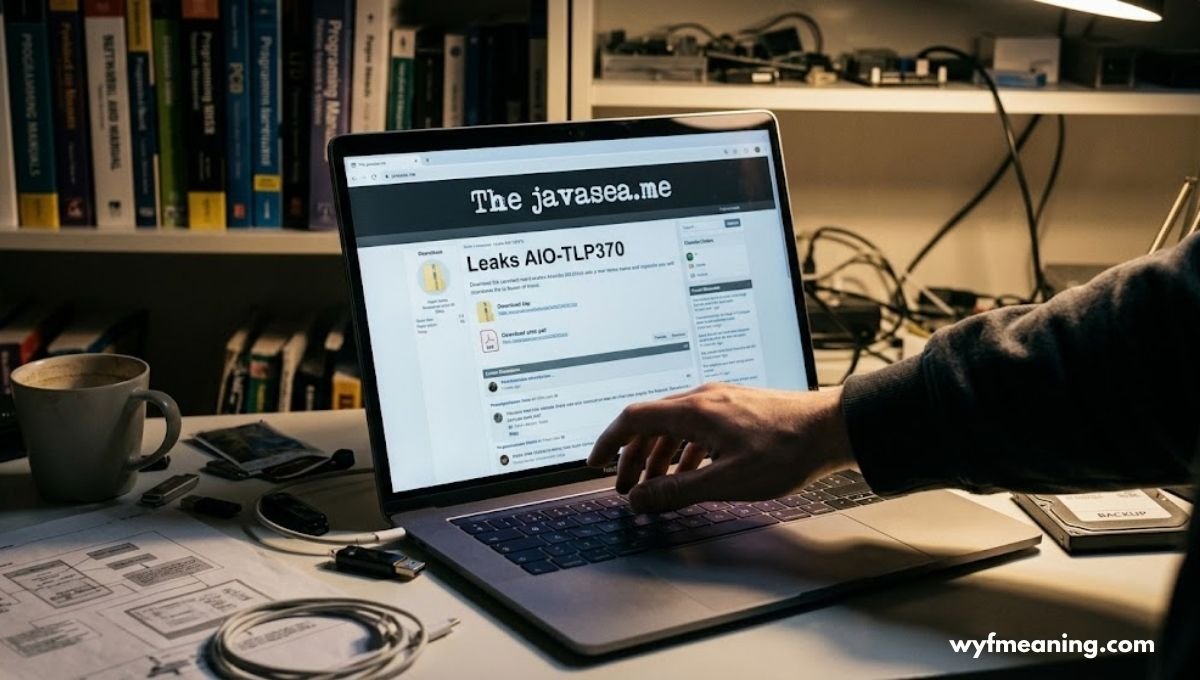
Thejavasea.me Leaks AIO-TLP370: What’s Actually Known (and What Isn’t)
If you’ve searched for Thejavasea.me Leaks AIO-TLP370, you’ve probably noticed something strange. Every article seems to describe a different leak. One site says it’s full of corporate emails. Another claims it’s source code and API keys. A third insists it’s financial records. They can’t all be right and that mismatch tells you something important before we even get into the details.
This article won’t repeat unverified claims as if they’re settled fact. Instead, it’ll walk through what the term actually means, why it’s spreading online, and more usefully what you should do to protect yourself, regardless of whether this specific leak turns out to be real.
The Short Answer
Thejavasea.me Leaks AIO-TLP370 refers to a phrase circulating online that describes an alleged bundle of leaked files, supposedly distributed through a website called TheJavaSea.me. No major cybersecurity authority not Krebs on Security, not BleepingComputer, not Have I Been Pwned has independently verified the contents, size, or origin of this package.
That doesn’t mean you should ignore it. It means you should treat it the way a careful reader treats any unverified security story: take the underlying risks seriously, and take the specific claims with a grain of salt.
What Is TheJavaSea.me?
TheJavaSea.me belongs to a category of website that security researchers generally describe as a leak-hosting or file-sharing forum. Sites like this typically operate outside the reach of standard content moderation, often hosted on infrastructure designed to resist takedown requests.
A few things tend to be true of this type of platform:
- No verified ownership. You usually can’t find a registered company, named operator, or public accountability trail.
- User-submitted content. Anyone can typically upload a file and label it however they like including calling it a “leak” whether or not it actually came from a breach.
- Search-engine bait. Post titles are often written specifically to rank well for curiosity-driven searches, not to accurately describe what’s inside the file.
This matters because a file’s name tells you nothing about whether it’s genuine. Anyone can zip up random data, call it “AIO-TLP370,” and upload it. The label creates the appearance of authority. It doesn’t create the authority itself.
Breaking Down the Name “AIO-TLP370”
Names like this aren’t random. They’re built from real terminology borrowed from the cybersecurity world, which is exactly why they sound credible even when nobody’s verified them.
AIO All-In-One
“AIO” almost universally stands for All-In-One. In leak culture, it signals that a file is a compilation data pulled from multiple sources and packaged together, rather than a single breach from one company.
Compilations like this get attention because they’re marketed as more valuable: instead of one dataset, you’re getting several stitched into one archive.
TLP A Real Security Term, Borrowed
Here’s the part worth understanding properly, because it’s the one piece of this whole story that’s genuinely factual and useful.
TLP stands for Traffic Light Protocol, a real classification system created by FIRST (the Forum of Incident Response and Security Teams) and used by legitimate security teams worldwide to control how sensitive information gets shared. It works like an actual traffic light:
| TLP Level | Meaning | Who Can See It |
|---|---|---|
| TLP:RED | Highly sensitive | Named recipients only, no further sharing |
| TLP:AMBER | Limited disclosure | Organization and its clients, on a need-to-know basis |
| TLP:GREEN | Community-wide | Can be shared within the broader security community |
| TLP:CLEAR (formerly WHITE) | Public | No restrictions on distribution |
When leak-hosting sites slap “TLP” onto a filename, they’re borrowing the credibility of this legitimate framework. It makes an anonymous upload look like it came from a professional incident-response process. In reality, there’s rarely any connection between the two.
The Number “370”
The numeral trailing the label is most likely a version or batch identifier a way for whoever uploaded the file to distinguish it from other releases (you’ll sometimes see related labels like AIO-TLP371 or AIO-TLP369 pop up alongside it).
It’s a cataloging convention, not a confirmed classification of sensitivity or content.
Putting It Together
So when you see Thejavasea.me Leaks AIO-TLP370, what you’re really looking at is: an anonymously uploaded, unverified compilation file, given a name designed to borrow legitimacy from real cybersecurity vocabulary.
That’s a fair, evidence-based description and it’s a very different thing from “confirmed massive data breach.”
Why You’ll Find Conflicting Descriptions Online
This is worth sitting with for a second, because it’s the clearest signal that something’s off with how this topic has been covered.
Search around and you’ll find articles claiming AIO-TLP370 contains:
- Corporate emails and unpublished AI model files
- Source code, configuration files, and hardcoded API keys
- Financial records and payment card data
- System logs from cloud infrastructure
- Personal identity data usable for impersonation
Reputable breach reporting doesn’t usually work this way. When a real incident gets confirmed say, a breach at a known company reporters cite a security researcher, a breach-notification database, or a statement from the affected organization. The details converge because they trace back to the same evidence.
Here, they diverge. That pattern is typical of what’s sometimes called content-mill amplification: one site publishes a vague, speculative post about a trending search term, other sites see the traffic potential and publish their own versions, and each one adds a little more specific-sounding detail to stand out without anyone actually verifying anything. The result is a keyword that looks well-documented from the outside but has no solid foundation underneath.
“A leak’s name spreading across search results isn’t evidence the leak is real. It’s evidence the name is popular.” a fair summary of how threat-intel analysts generally approach unverified breach chatter.

Is There Real Risk Here, Even If the Details Are Unverified?
Yes and this is the part that deserves your actual attention, because the risk categories tied to leaks like this are real regardless of whether AIO-TLP370 itself is genuine.
Credential Stuffing Attacks
If any real credentials end up in a compilation like this even old, previously leaked ones attackers will run them against major platforms using automated tools. This works because so many people reuse passwords.
According to Google’s own security research, roughly two-thirds of people admit to reusing passwords across multiple accounts, which is exactly what makes credential stuffing profitable at scale.
Phishing Campaigns
Leak-shaped rumors are useful to scammers even when the leak itself is fake. A criminal doesn’t need real stolen data just the plausibility of it.
Emails claiming “your information was found in the AIO-TLP370 leak, click here to check” are a classic social-engineering hook, exploiting the fear the search term itself generates.
Malware Distribution
This one’s the most immediate danger for curious searchers. Files advertised as leak archives frequently contain information-stealing malware disguised as the promised data.
Downloading a “leak checker tool” or the archive itself from an unverified site is one of the more common ways people actually get compromised ironically, while trying to find out if they’ve already been compromised.
Legal Exposure
In most jurisdictions, knowingly accessing or using data obtained through unauthorized means even if you didn’t do the original hacking can carry legal consequences. Downloading a file marketed as stolen data isn’t a safe, neutral action just because you’re curious.
| Risk Category | How It Plays Out | Who’s Most Exposed |
|---|---|---|
| Credential stuffing | Automated login attempts using leaked username/password pairs | Anyone who reuses passwords |
| Phishing | Fake “check your exposure” emails or sites | General public, especially after viral leak news |
| Malware | Infected files disguised as leak archives | Anyone who downloads from the source site |
| Legal risk | Possessing or distributing unauthorized data | Anyone who downloads or redistributes the file |
Should You Try to Download or Check the Leak Yourself?
No. It’s tempting, especially if you’re worried your own information might be involved, but downloading the file yourself creates more risk than it resolves.
Here’s why that instinct backfires:
- You can’t verify authenticity before opening it. By the time you know whether the data is real, you’ve already run the risk of opening it.
- Leak-hosting sites profit from traffic, not accuracy. There’s no incentive for the file to be exactly what it claims to be.
- Malware scanners aren’t foolproof against fresh payloads. Newly packaged information-stealers can slip past standard antivirus definitions for a window of time.
A Safer Way to Check Exposure
Instead of touching the file, use a legitimate breach-checking service. Have I Been Pwned (haveibeenpwned.com) is the most widely trusted option it’s run by security researcher Troy Hunt and indexes verified breaches, letting you check your email address without downloading anything. If your information shows up there, it’s tied to a documented, confirmed incident, not just a search-trending name.
How to Protect Yourself Regardless of Whether This Leak Is Real
This is the part worth acting on today, whether or not AIO-TLP370 ever gets confirmed as genuine.
- Use a password manager. Tools like Bitwarden, 1Password, or your browser’s built-in manager generate and store unique passwords per site, which single-handedly defeats credential stuffing.
- Turn on multi-factor authentication (MFA). Even if a password leaks, MFA usually stops the login attempt cold. Prioritize your email, banking, and any account tied to password resets.
- Check breach databases periodically. Have I Been Pwned lets you set up alerts so you’re notified automatically if your email shows up in a confirmed breach.
- Freeze your credit if financial exposure is a concern. In the US, you can freeze your credit for free with Equifax, Experian, and TransUnion, which blocks new accounts from being opened in your name.
- Be skeptical of “check your leak status” links. Only use established, named tools never a link from an unsolicited email or a forum post.
- Update passwords on any account you’re unsure about, especially ones you haven’t touched in years. Old, forgotten accounts are exactly the kind of thing that ends up in old compilation leaks.
Below, we add table in this article summarizing these habits, since a quick-reference format tends to be more actionable than another paragraph of advice:
| Habit | Why It Matters | How Often |
|---|---|---|
| Unique passwords per account | Stops credential stuffing entirely | Set once, maintain always |
| Multi-factor authentication | Blocks logins even with a leaked password | Enable once per account |
| Breach monitoring alerts | Flags confirmed exposure early | Passive, ongoing |
| Credit freeze | Prevents identity-based account creation | As needed |
| Review old/dormant accounts | Closes forgotten attack surfaces | Every 6–12 months |
The Bigger Pattern: Why “Leak” Keywords Go Viral
Search behavior around terms like Thejavasea.me Leaks AIO-TLP370 follows a fairly predictable pattern, and understanding it makes you a much harder target for this kind of content.
First, there’s genuine curiosity. A cryptic name paired with the word “leak” is inherently intriguing it sounds like insider knowledge, and people want to know what it means.
Second, there’s fear of personal exposure. Once someone hears a leak might contain “personal data” or “credentials,” the natural next thought is “could that be me?” That anxiety drives clicks toward anything promising an answer.
Third, there’s the content economy that rewards this exact behavior. Websites earn ad revenue from traffic. A trending, vague search term with no authoritative source is a gift to low-effort content sites, because they can publish endless variations without ever needing new facts.
A quick way to tell the difference between a credible security story and a viral keyword:
- Credible reporting names a specific company, cites a named researcher or firm, and gets corroborated across multiple independent, reputable outlets.
- Viral keyword content repeats the same phrase across dozens of sites, offers contradictory details, and rarely links back to a primary, verifiable source.
If you’re evaluating the next trending “leak” name that crosses your feed, run it through that filter before reacting.
Final Thoughts
Thejavasea.me Leaks AIO-TLP370 is best understood as an unverified, search-driven term rather than a confirmed cybersecurity incident. The name borrows real vocabulary All-In-One, Traffic Light Protocol to sound more official than the available evidence supports, and the conflicting descriptions across the sites covering it suggest speculation rather than firsthand reporting.
That said, the categories of harm connected to leaks like this credential stuffing, phishing, malware, identity misuse are entirely real, whether or not this specific package turns out to be genuine.
The smartest response isn’t to chase down the file. It’s to tighten the habits that make you resilient to leaks in general: unique passwords, MFA, breach monitoring, and healthy skepticism toward anything demanding you download a mystery archive to “check.”
FAQs
Is AIO-TLP370 a confirmed data breach?
No. As of now, no major cybersecurity authority has independently verified its origin, contents, or authenticity. It should be treated as an unconfirmed leak-related term.
What does TLP mean in cybersecurity?
TLP stands for Traffic Light Protocol, a legitimate classification system (RED, AMBER, GREEN, CLEAR) used by security teams to control how sensitive threat information is shared.
How do I check if my data was leaked?
Use a trusted, established service like Have I Been Pwned. Enter your email address to check it against verified, documented breaches no downloads required.
Is it illegal to download leaked files?
In most jurisdictions, knowingly downloading or using data obtained through unauthorized access can carry legal risk, separate from any malware danger the file itself might pose. It’s best avoided entirely.
For more visit: wyfmeaning